AWS SQS Integration
Connect Fleak to Amazon SQS using AWS access key credentials to send and receive messages in your workflows.
Amazon Simple Queue Service (SQS) is a fully managed message queuing service that decouples and scales distributed systems. The SQS integration in Fleak stores your AWS credentials so that SQS source and sink nodes can authenticate without requiring credentials to be entered per-node.
Setting Up SQS Integration
Navigate to Integrations
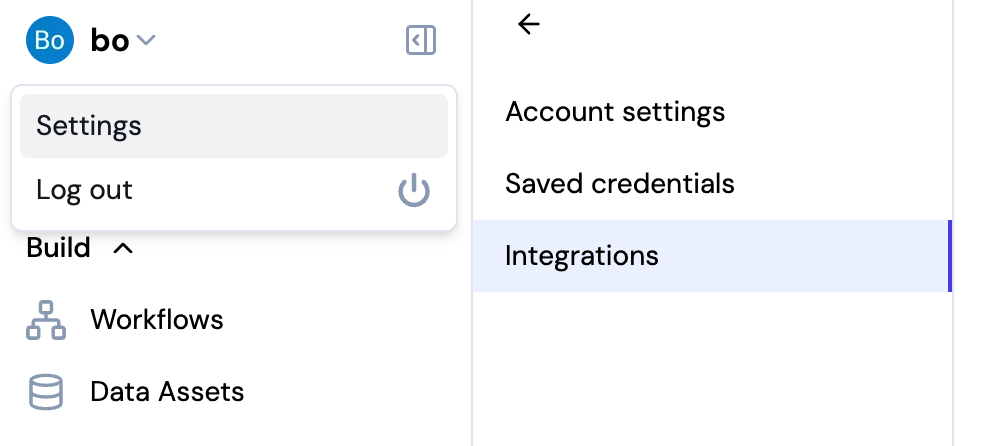
- Click on your username in the top left corner of the Fleak dashboard
- Select Settings from the dropdown menu
- Click on Integrations in the settings sidebar
Add SQS Integration
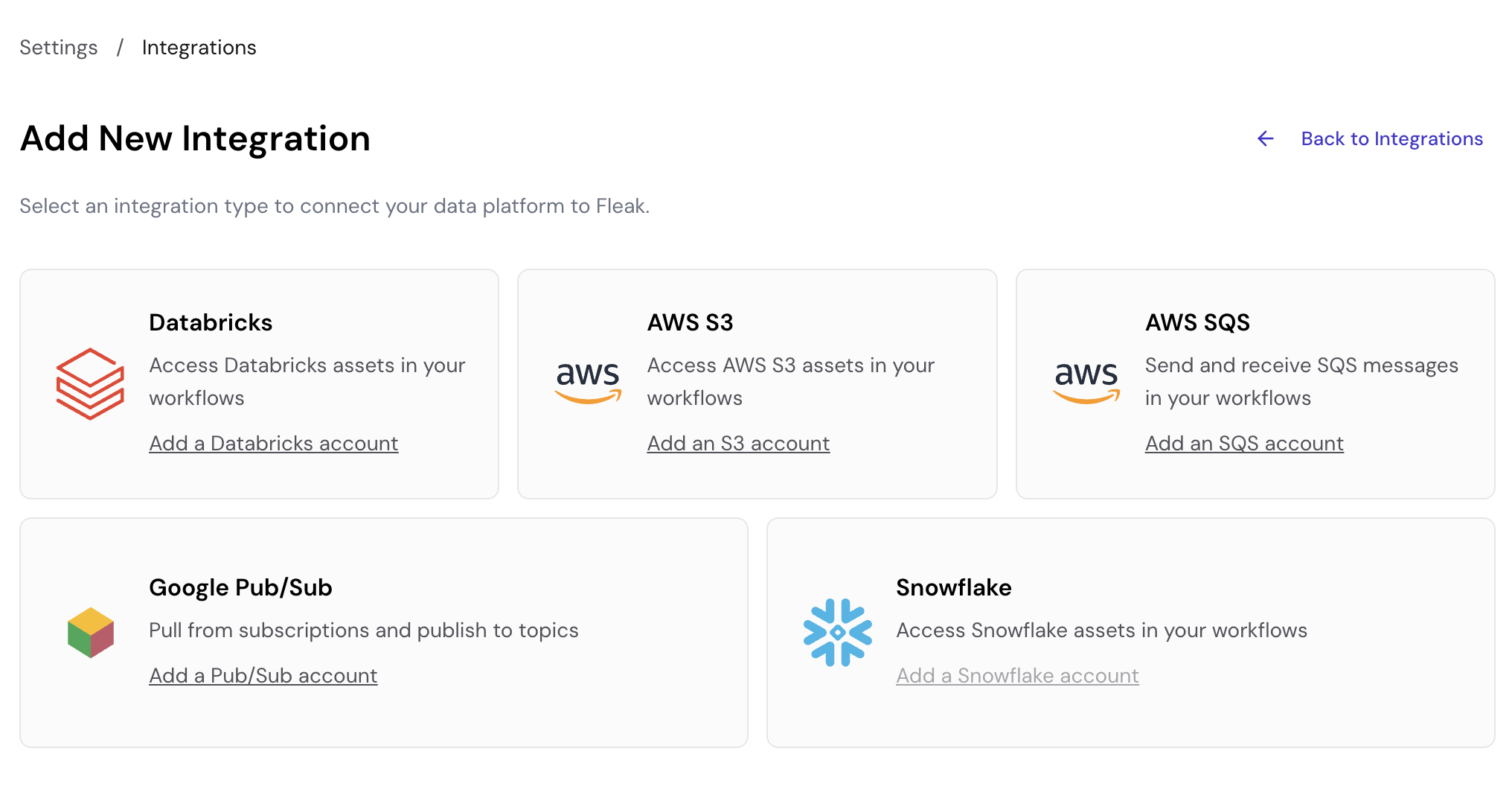
On the Integrations page, click Add New Integration, then select Add an SQS account.
Configure Connection Details
Fill in the following fields:
- Connection Name: A descriptive name for your connection (e.g., "My SQS Integration")
- AWS Access Key ID: The access key ID for your IAM user (e.g.,
AKIAXXXXXXXXXXXXXXXX) - AWS Secret Access Key: The secret access key paired with the access key ID above
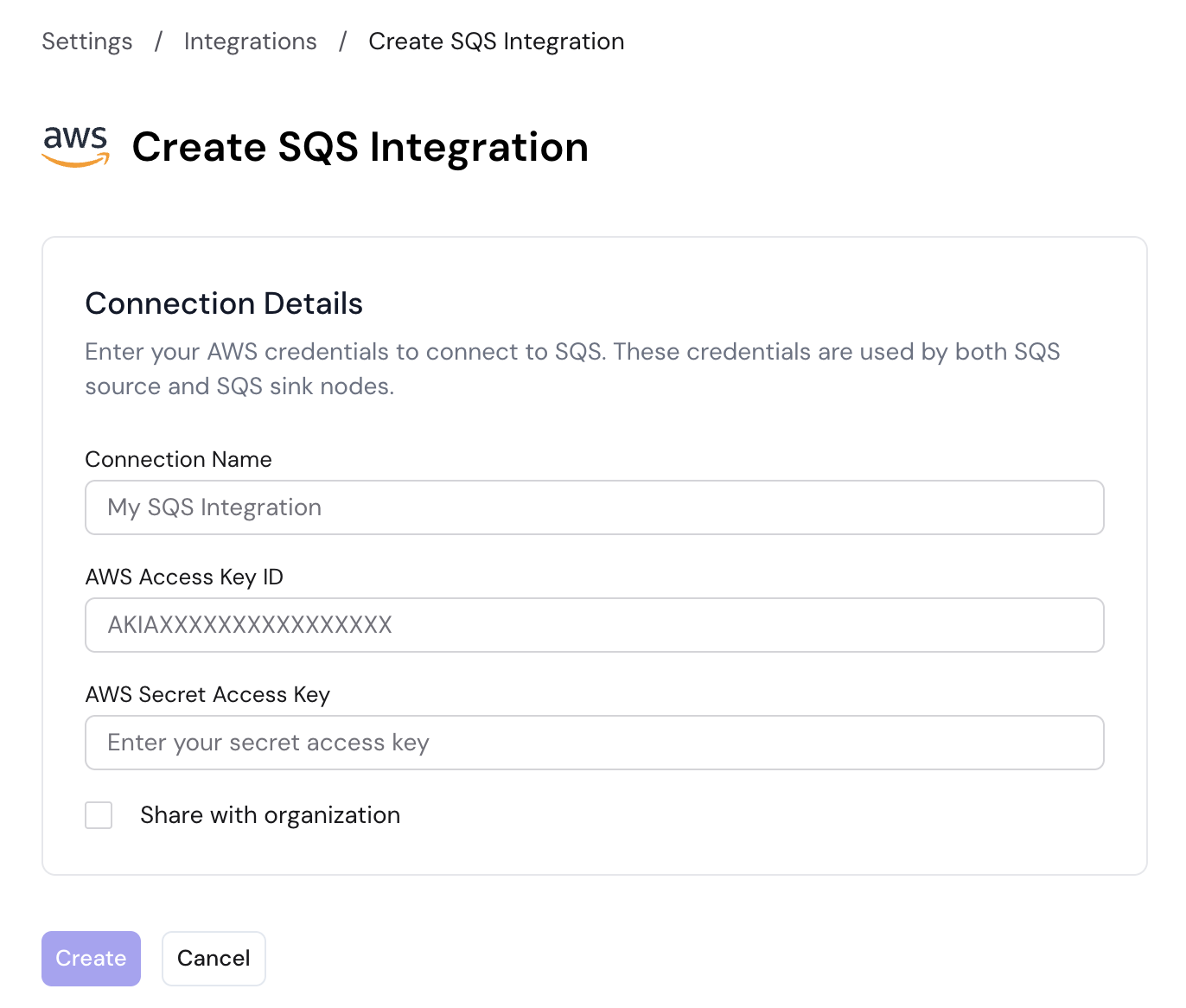
Click Create to save the integration. The same credentials are used by both the SQS source and SQS sink nodes.
Enable Share with organization to make this integration available to other members of your organization. Leave it unchecked to keep the integration private to your account.
If you are editing an existing integration, leave the credential fields blank to keep the saved values unchanged.
Required IAM Permissions
The IAM user must have the following permissions on the target queues:
| Permission | Purpose |
|---|---|
sqs:ReceiveMessage | Required by SQS source nodes to read messages |
sqs:DeleteMessage | Required by SQS source nodes to acknowledge processed messages |
sqs:SendMessage | Required by SQS sink nodes to publish messages |
sqs:GetQueueAttributes | Required to validate queue access |
For least-privilege access, scope the policy to the specific queue ARNs your workflows use rather than granting access to all queues (*).
Using SQS in Workflows
Once an SQS integration is saved, it appears in the Use Credentials dropdown on both the SQS Source and SQS Sink nodes. Select it there — the node then uses the stored AWS credentials automatically. If no integration is selected, the node falls back to the default AWS credential chain (environment variables, instance profile, etc.).
- SQS Source Node — Read messages from an SQS queue into your workflow
- SQS Sink Node — Send processed records from your workflow to an SQS queue