Enrichment Node
Quick Reference
Output Field Name
The field on the record where the enrichment result is stored.
ex: enrichment
Provider The external data source to query. One of:
- In-Memory Lookup — a CSV or LDAP table loaded into memory and looked up by key
- Google BigQuery — runs a SQL query against BigQuery
- Database (Postgres) — runs a SQL query against a relational database over JDBC
- HTTP Client — calls a REST endpoint and captures the response
- Fetch HTML — downloads a web page and returns its HTML or visible text
Template syntax
Most provider fields accept {{$.path.to.value}} placeholders. At runtime Fleak resolves the path against each record and substitutes the value before the query or request is sent.
Overview
The Enrichment Node improves your data by looking up additional information from an external source and attaching it to each record. Every incoming record triggers a lookup — a query, an API call, or an in-memory table lookup — and the result is stored on the record under the Output Field Name you choose.
Use it to add reference data (product details, user profiles, geo data), validate values against an authoritative source, or pull in context that isn't present in the raw record.
How It Works
Suppose every input record carries an order_id:
{
  "order_id": 123
}
The node is configured with Output Field Name enrichment and a query template that looks up order details. For record order_id = 123, the data source returns:
{
  "product_id": 11,
  "quantity": 5,
  "price": 100,
  "currency": "USD"
}
Fleak attaches that result to the original record under enrichment:
{
  "order_id": 123,
  "enrichment": {
    "product_id": 11,
    "quantity": 5,
    "price": 100,
    "currency": "USD"
  }
}
The original record fields are always preserved — the enrichment result is added alongside them. After the enrichment node, use a SQL or Eval node to flatten or reshape the attached data.
SQL-based providers (BigQuery, Database) return an array of rows, since a query can match multiple records. The HTTP Client and Fetch HTML providers return a string. The In-Memory Lookup provider returns a single record (the matched row).
Configuration
| Field | Description | Required | Default |
|---|---|---|---|
| Output Field Name | The field name on the record where the enrichment result is stored. Original record fields are kept; the result is added alongside them. | Yes | enrichment |
| Provider | The external data source to query. Selecting a provider reveals its provider-specific fields (see below). | Yes | — |
Providers
In-Memory Lookup
The In-Memory Lookup provider loads a reference table into memory once (and optionally refreshes it on a schedule), then matches each record against it by key. This is the fastest option because no network call happens per record — it's ideal for small-to-medium static reference tables such as status code mappings, country lookups, or user directories.
The table comes from one of two Lookup source types: CSV upload or LDAP.
CSV upload source
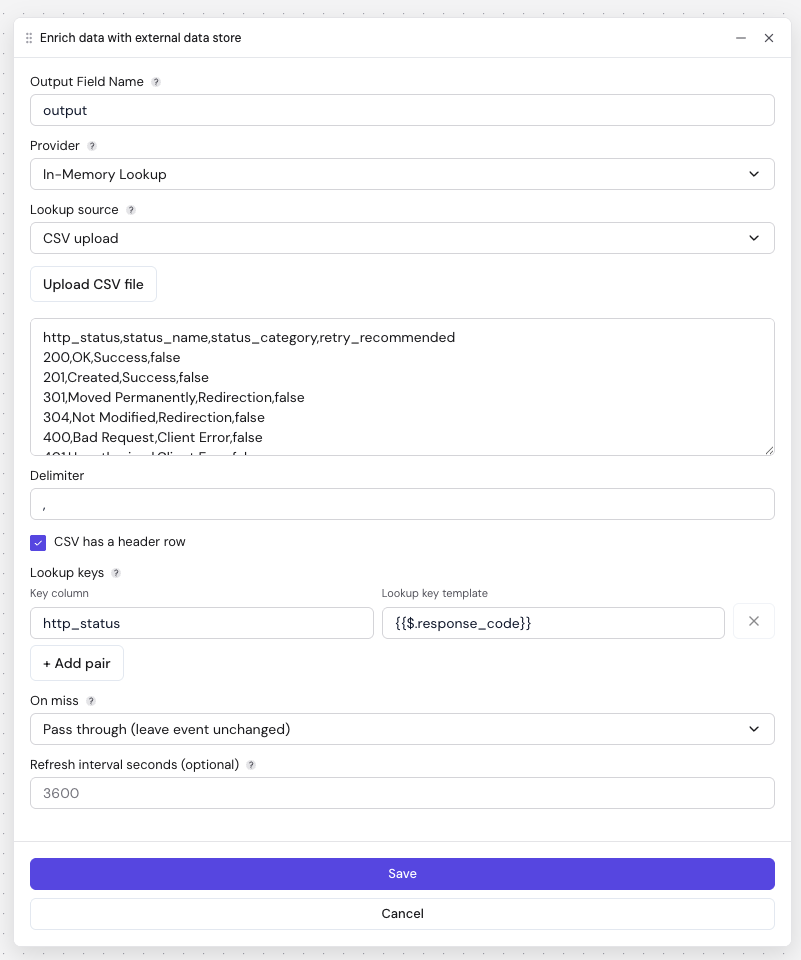
| Field | Description | Required | Default |
|---|---|---|---|
| Upload CSV file / CSV content | The CSV table to load. Paste the content directly or upload a file. | Yes | — |
| Delimiter | The character separating columns in the CSV. | No | , |
| CSV has a header row | When checked, the first row is used as column names. When unchecked, you must supply column names explicitly. | No | Checked |
LDAP source
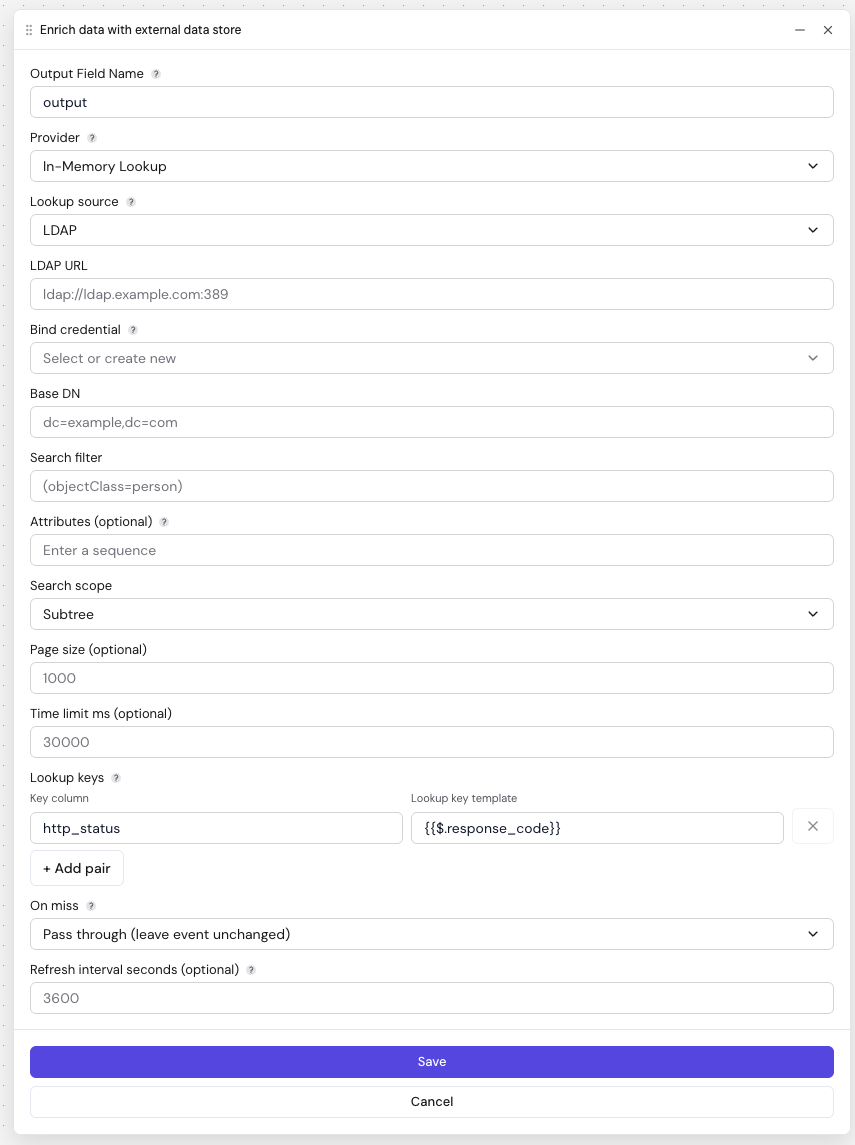
| Field | Description | Required | Default |
|---|---|---|---|
| LDAP URL | The directory server URL. | Yes | — |
| Bind credential | A Username/Password credential used to bind to the directory. | Yes | — |
| Base DN | The base distinguished name to search under. | Yes | — |
| Search filter | The LDAP search filter that selects the entries to load. | Yes | — |
| Attributes | The attributes to return for each entry. Leave empty to return all attributes. | No | All |
| Search scope | How deep to search: Subtree, One level, or Object. | No | Subtree |
| Page size | Number of entries fetched per page during the directory scan. | No | 1000 |
| Time limit ms | Maximum time, in milliseconds, allowed for the directory search. | No | 30000 |
Each loaded LDAP entry becomes a row containing its dn plus the requested attributes.
Lookup keys, On miss, and Refresh interval
These fields apply to both source types:
| Field | Description | Required | Default |
|---|---|---|---|
| Lookup keys | One or more pairs that define how an record is matched to a table row. Key column is the column name in the loaded table; Lookup key template is the value resolved from the record (e.g. {{$.response_code}}). Add multiple pairs for a composite key — all parts must match. | Yes | — |
| On miss | What to do when no row matches: Pass through leaves the record unchanged, Empty sets the output field to null, Error fails the record. | No | Pass through |
| Refresh interval seconds | How often to reload the table from the source. Leave empty to load once at startup and never refresh. | No | Load once |
In the screenshots above, the Key column http_status is matched against the record value {{$.response_code}} — for an record with response_code = 200, the node finds the table row whose http_status is 200 and attaches that row.
Google BigQuery
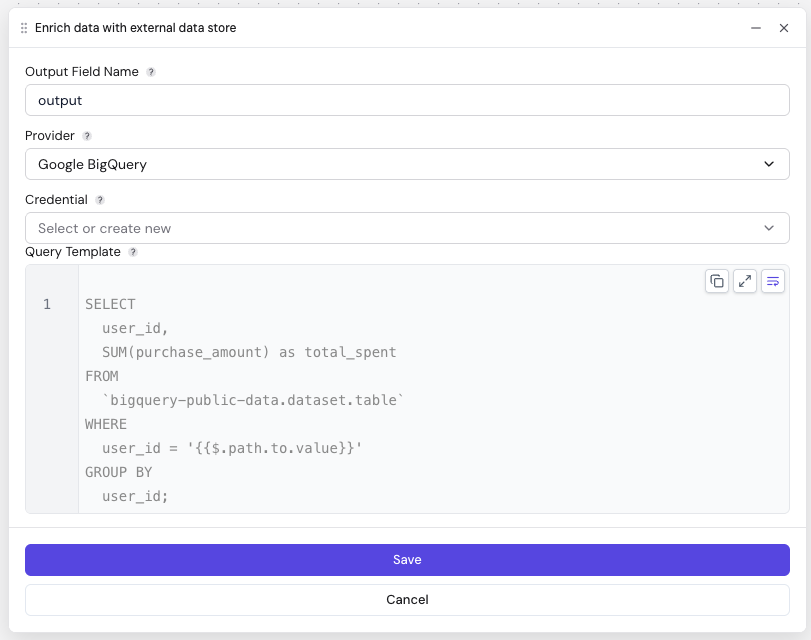
Runs a SQL query against Google BigQuery for each record and attaches the matching rows.
| Field | Description | Required |
|---|---|---|
| Credential | A credential holding a Google Service Account Key in JSON format. See Google's guide for creating one. | Yes |
| Query Template | The SQL query to run. Use {{$.field}} placeholders to inject values from the record. | Yes |
SELECT
  user_id,
  SUM(purchase_amount) as total_spent
FROM
  `bigquery-public-data.dataset.table`
WHERE
  user_id = '{{$.path.to.value}}'
GROUP BY
  user_id;
Database (Postgres)
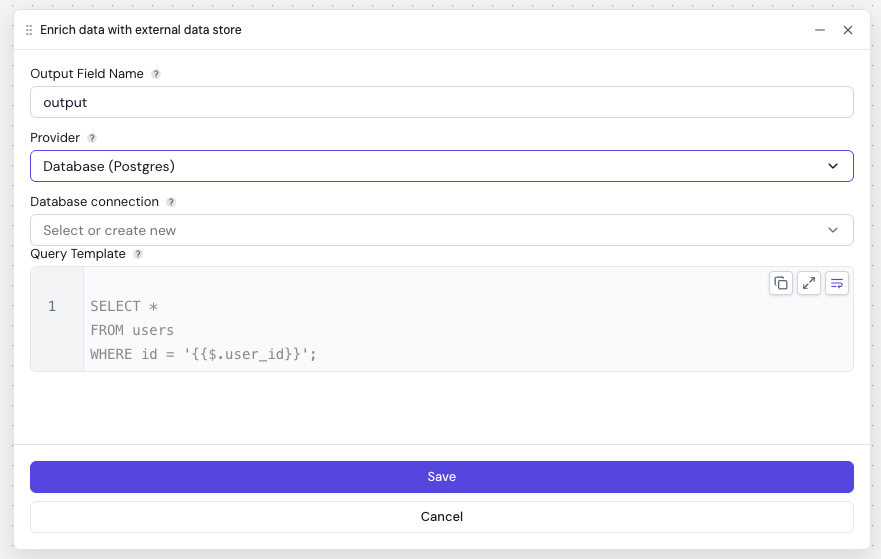
Runs a SQL query against a relational database over JDBC for each record and attaches the matching rows.
| Field | Description | Required |
|---|---|---|
| Database connection | A database credential containing the JDBC URL (e.g. jdbc:postgresql://localhost:5432/mydb) and, if required, a username and password. | Yes |
| Query Template | The SQL query to run. Use {{$.field}} placeholders to inject values from the record. | Yes |
SELECT *
FROM users
WHERE id = '{{$.user_id}}';
For an record with user_id = 123, Fleak resolves the placeholder and sends WHERE id = '123' to the database.
HTTP Client
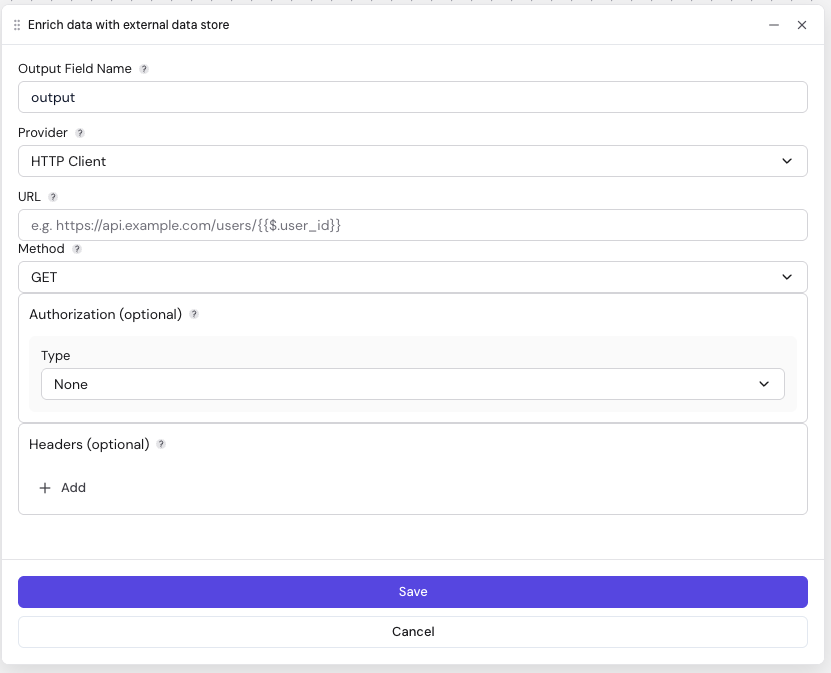
Calls a REST API endpoint for each record and stores the response body on the record as a string.
| Field | Description | Required | Default |
|---|---|---|---|
| URL | The endpoint to call. Use {{$.field}} placeholders to build a dynamic URL, e.g. https://api.example.com/users/{{$.user_id}}. | Yes | — |
| Method | The HTTP method: GET, POST, PUT, or DELETE. | Yes | GET |
| Authorization | How to authenticate the request: None, Basic (a Username/Password credential), or Bearer (an API key credential sent as a bearer token). | No | None |
| Headers | Additional request headers as key/value pairs. Values may contain {{$.field}} placeholders. | No | — |
| Body | The request payload for POST, PUT, and DELETE requests. May contain {{$.field}} placeholders. | No | — |
The response is captured as a raw string, regardless of the API's content type. To work with a JSON response as structured data, cast it in a following SQL node — for example SELECT enrichment::json FROM records.
Fetch HTML
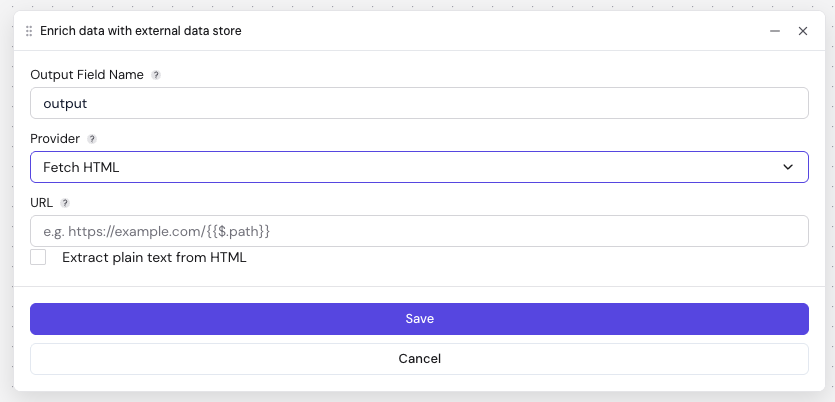
Downloads the content of a web page for each record and stores it on the record as a string.
| Field | Description | Required | Default |
|---|---|---|---|
| URL | The page to fetch. Use {{$.field}} placeholders to build a dynamic URL, e.g. https://example.com/{{$.path}}. | Yes | — |
| Extract plain text from HTML | When checked, HTML markup is stripped and only the visible text is returned. When unchecked, the full HTML document is returned. | No | Unchecked |
Constraints and guidelines:
- Only HTTPS URLs are allowed.
- The response must have an HTML content type, and the downloaded body is capped (large pages are rejected).
- The node does not provide proxy services or IP rotation. Make sure your use complies with each site's
robots.txtand terms of service, and that you have permission to access the content.
Error Handling
If a provider call throws an error (a failed query, an unreachable endpoint, an invalid URL), the record is marked as failed and the error is surfaced — it is not silently dropped.
When a lookup simply returns nothing:
- In-Memory Lookup follows the On miss setting (pass through,
nulloutput, or error). - BigQuery and Database attach an empty result set when the query matches no rows.
Related Nodes
- SQL: Reshape or cast the attached enrichment result, especially string responses from HTTP Client and Fetch HTML
- Eval: Merge or flatten enrichment output into the top-level record with FEEL
- JDBC Source: Read a full table from a relational database as a source instead of per-record lookups